Over 9M+ business leaders every month power their businesses by finding the right software on G2 Digital Markets’ global network for reviews- Capterra, GetApp and Software Advice. Buyer Discovery uncovers buying indicators from millions of businesses every year. It reveals those looking at your products, your competitors, pricing, product alternatives, features, and customer reviews.
The new 6sense integration for Buyer Discovery furthers G2 Digital Markets’ efforts to help software marketers to optimize strategic programs and create efficiencies fueling marketing-led growth. The integration allows joint customers of G2 Digital Markets and 6sense to build segments using Buyer Discovery intent indicators.
To activate Buyer Discovery Intent data, you must have an active Intent Data Plan in G2 Digital Markets.
Activate G2 Digital Markets
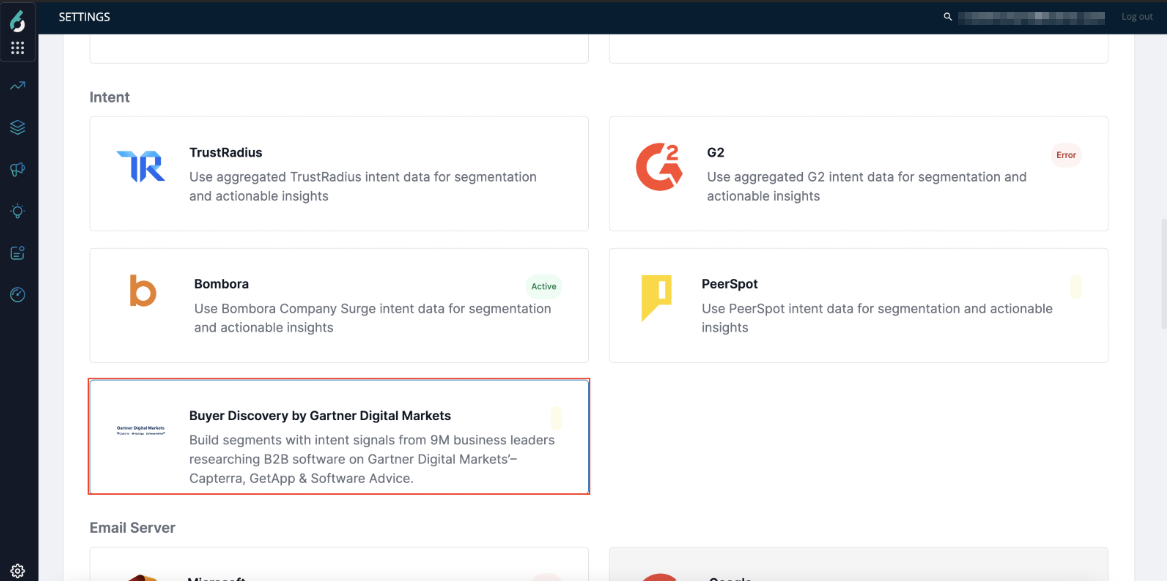
Navigate to Settings > Integrations > All Integrations. Then, choose Intent Filter or search for “Buyer Discovery by G2 Digital Markets”. Then, click on G2 Digital Markets.
Click the Connect button.
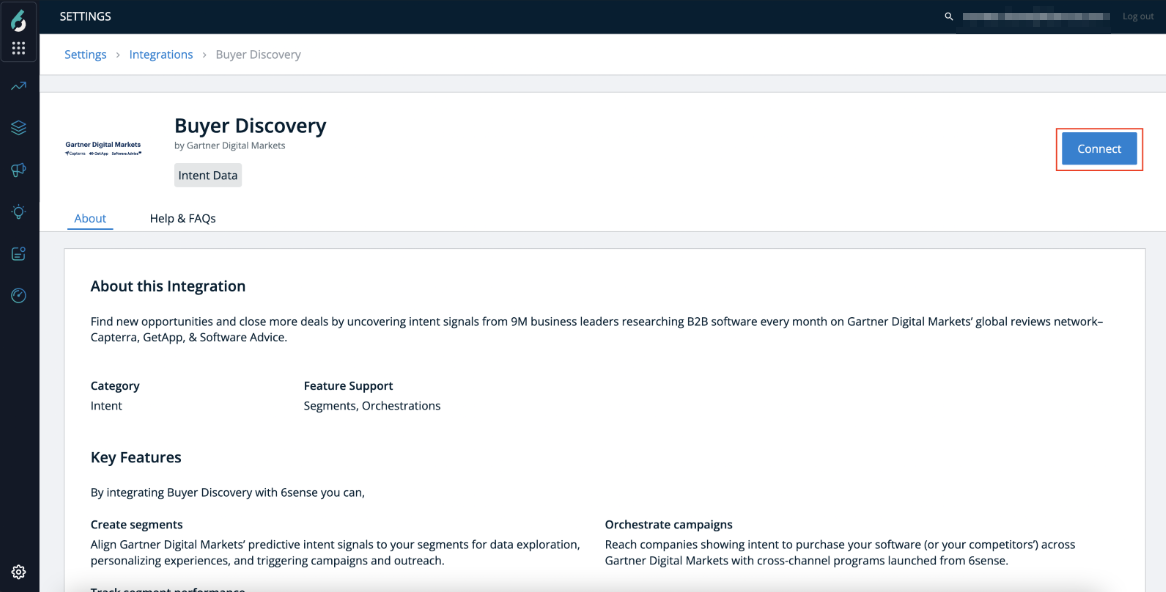
This enables Partner API configurations.
Customer Data API Token: G2 Digital Markets will send this information along with your Intent data to help us identify that the data belongs to your account.
Your 6sense Product IDs: G2 Digital Markets will send this information along with your Intent data to help us identify that the data belongs to which product in your account.
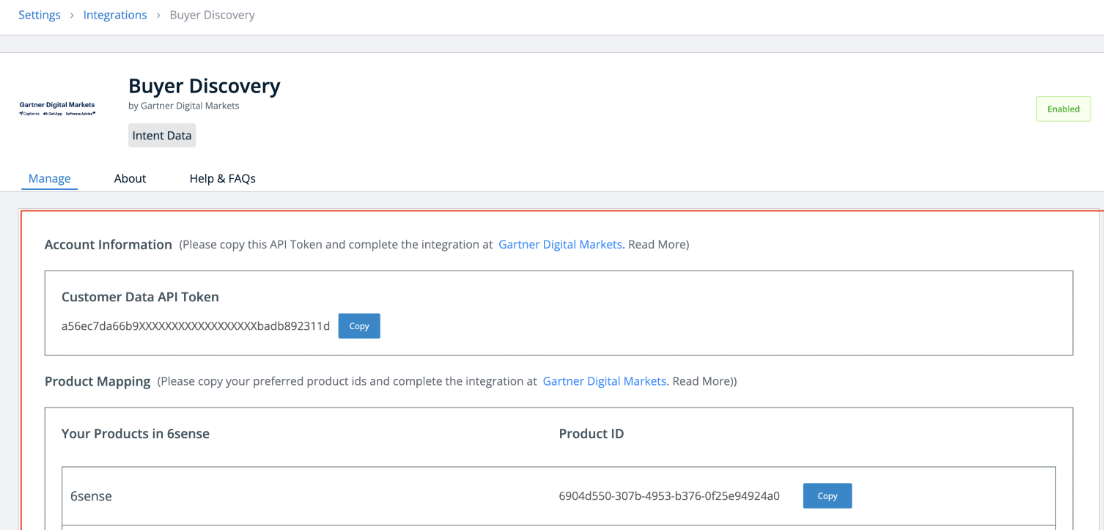
You must copy this information and complete the integration in G2 Digital Markets Platform. Once the Data Sync is enabled at G2 Digital Markets, integration is completed.
It takes 24-48 hrs to reflect your data into 6sense. Then you can create segment filters.
Create a Segment Using G2 Digital Markets Intent Data
To create a segment based on filters, navigate to Segments from the left navigation, then click Create and select Create Segment.
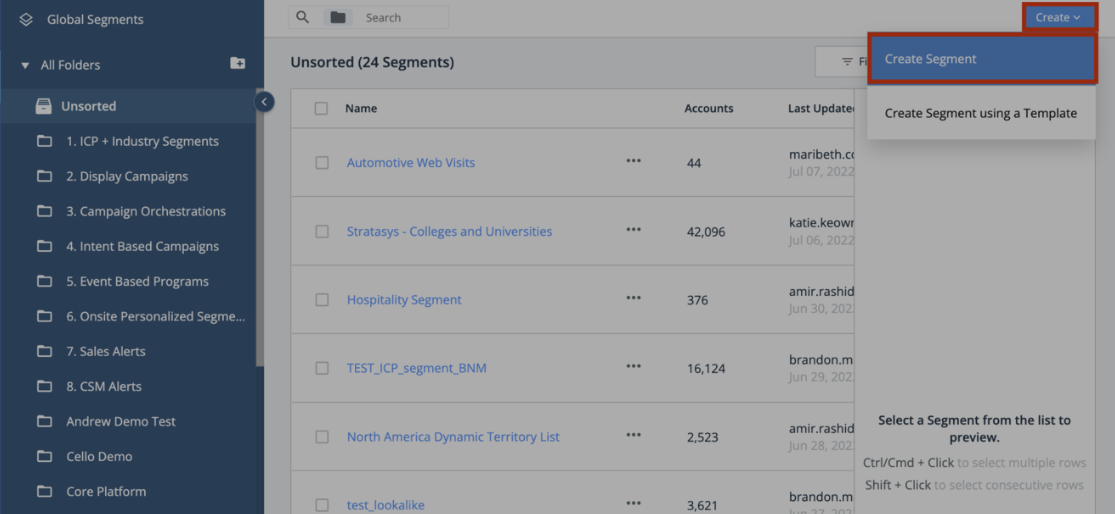
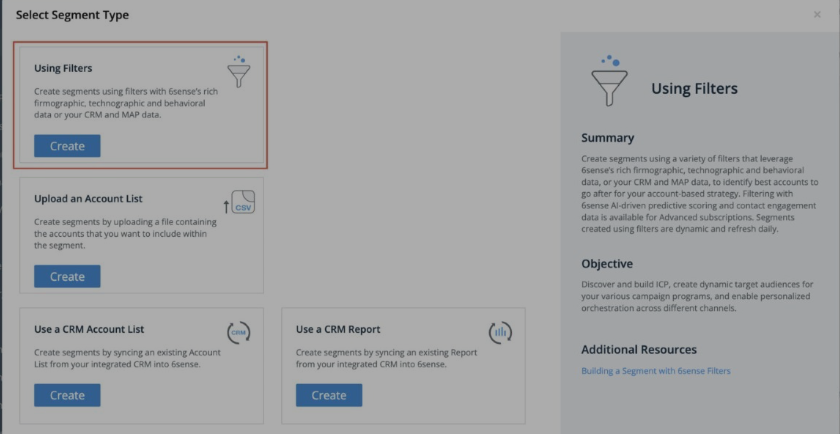
Now select the Using Filters option to create a segment.
Now you choose your filters by selecting Multiple G2 filters available under INTENT category. 6sense provides the following five G2 filters, which are:
G2 Digital Markets Purchase Intent
G2 Digital Markets Product Awareness
G2 Digital Markets Engagement
G2 Digital Markets Competitors Viewed
G2 Digital Markets Categories Viewed