This article outlines how to use the Chrome Extension over your CRM or SEP, including Salesforce, Salesloft, and Outreach. Using the extension, sales professionals can prospect directly within their CRM/SEP accounts and contacts, saving time and boosting productivity like never before.
Additional info on configuring the Chrome Extension is available at Install the 6sense SI Extension for Chrome.
6sense only has one type of matching with Salesforce; we match on CRM ID and if there is no match with 6sense (MPD/MCD) we display no profile. In SalesLoft and Outreach we have fallback matching (UDF) checking fields like name, email, and domain, and will show a 6sense (but non-CRM profile) if found.
Prospect from a people/company profile
Navigate to your CRM/SEP and log in.
Search for and open a profile to view details:
Salesforce: Leads, Contacts, or Accounts.
Salesloft: People or Accounts.
Outreach: Prospects or Accounts.
HubSpot: Contacts or Accounts.
Launch 6sense SI Extension for Chrome.
.png)
The given profile opens in SI Extension for Chrome.
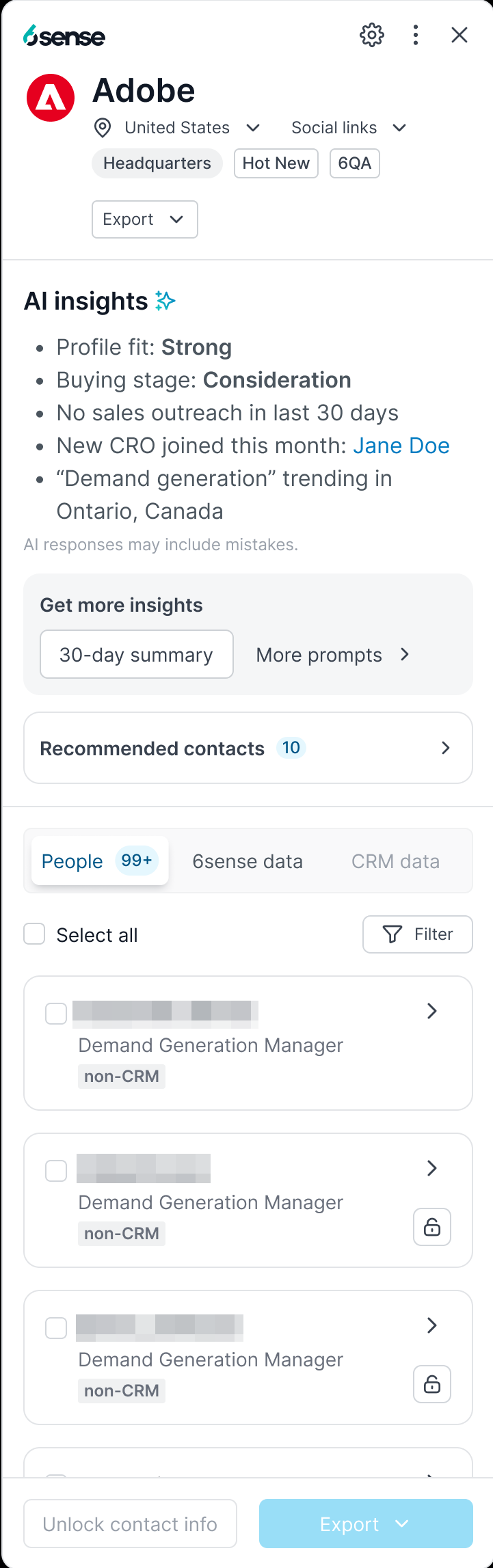
User can perform all the actions like unlocking new contact info, exporting new contacts into the CRM/SEP, adding contact to list etc.
View data sources
From a company or people profile, click between the 6sense data and [CRM] data tabs to compare information.
.png)
.png)
Unlock efficiency with CRM/SEP integration
Gone are the days of toggling between tabs and manually inputting prospect information. With the 6sense Chrome Extension integration, you can access lead, contact, and account profiles directly within your CRM/SEP environment. Here’s how it works:
Lead Profiles: Instantly view detailed lead profiles directly within your CRM/SEP. Get valuable insights into lead activity, engagement history, and predictive scores without ever leaving the lead page.
Contact Profiles: Effortlessly access comprehensive contact information, including contact details, job titles, and engagement data, all within the contact record in your CRM/SEP. Identify key decision-makers and influencers with ease.
Account Profiles: Dive deep into account insights without navigating away from your CRM/SEP. Gain a holistic view of account health, engagement trends, and predictive analytics to prioritize your sales efforts effectively.
People Profiles: Effortlessly access comprehensive contact information, including contact details, job titles, and engagement data, all within the contact record in your CRM/SEP. Identify key decision-makers and influencers with ease.
The integration of the 6sense Chrome Extension with CRM/SEP represents a significant milestone in empowering sales professionals to work more efficiently and effectively. With lead, contact, and account profiles readily available within your CRM/SEP, you can streamline your sales prospecting process and focus on what truly matters — building meaningful connections and driving revenue growth.