Sales Intelligence provides visual indicators that make it easier to identify the contacts that 6sense suggests you should reach out to. There are two types of indicators:
Recommended contacts
6sense suggests recommended contacts based on their engagement activity and how closely they align with the target persona. These contacts have a strong profile fit and a strong persona match in a high intent location. A Recommended tag displays for contacts that meet these conditions.
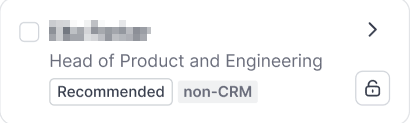
There are two types of recommended contacts:
Contacts to reach: Contacts that are already available in CRM and unlocked. We recommend that you reach out to them.
Contacts to unlock: Contacts we recommend that you unlock.
How SI decides which contacts to recommend
There are 5 canonical reasons for recommended contacts in Sales Intelligence:
High intent (only for known contacts)
Engaged, but not recently reached (only for known contacts)
Most important unreached persona at high intent location (only for known contacts)
Strong profile
Strong persona at high intent location
Where recommended contacts display in SI
Recommended contacts display in the following locations in SI:
SI web app:
Listed in the Actions panel
Chrome extension:
People tab on a company page
People profile
Filter: Recommended contacts
Priority profiles
Priority profiles are people who are likely decision-makers at their company. 6sense validates and refreshes their name, role, and email address at least once every 60 days.
SI displays priority profiles with a crown icon to indicate that the contact is fresh and has accurate data.
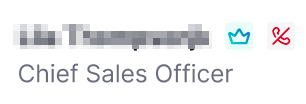
The Priority (crown) icon displays in the following locations in SI:
SI web app:
Dashboards:
People tab
Recent Activities
Recommended Actions
Filter: Priority profile
Discovery:
People tab
Filter: Priority profile
Company details pages:
Contacts to reach
Persona map
Filter: Priority profiles
People details pages
Chrome extension:
People tab on a company page
People profile
Filter: Priority profile