Priority profiles are high-quality contacts provided by 6sense whose information has been verified by 6sense. These contacts are likely to be decision-makers at their company, and therefore are higher-quality targets for outbound sales and marketing outreach.
“Verified” means that:
The contact’s name, role, and email have been validated by 6sense.
6sense refreshes the validation at least once every 60 days.
Priority profile data is populated by the 6sense daily data pipeline.
Priority profile data does not require the Predictive add-on.
Where to use priority profiles in 6sense
Priority profile filters in workflows
Workflow designers can branch logic in a decision node or target outreach in a Purchase Contacts node to focus on high-quality contacts whose information has been verified by 6sense.
For details refer to Workflow Nodes Priority Profile Filter.
Priority profile filter in the SI Chrome Extension
SI users can apply the priority profile filter to target the kind of contact information for which they will consume 6sense credits.
For details refer to Filter for Available Contact Information in the SI Extension for Chrome.
Priority profiles in the SI web application
Priority profiles are available in SI Dashboard, Discovery, company and people details tabs. In SI contact lists, priority profiles are indicated by a crown icon.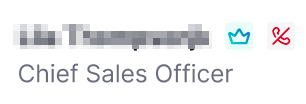
For details refer to Priority Profile Contacts vs Recommended Contacts in Sales Intelligence.