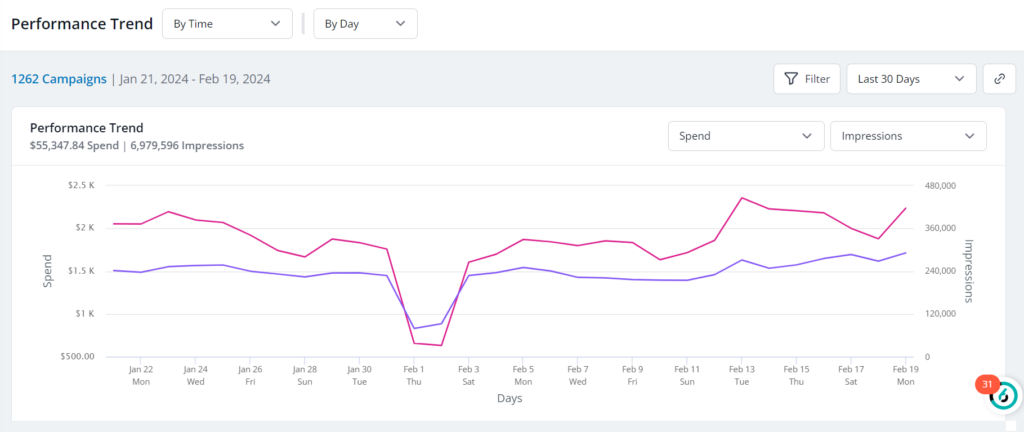
The Performance Trend report, also called the Advertising Performance Trend report, allows marketers to quickly understand how your Advertising campaigns are performing.
Tip: Use RevvyAI to ask about how your Advertising campaigns are performing. From the left menu, select RevvyAI and go to Prompt Library > Advertising. RevvyAI uses the data gathered for the Performance Trend report to answer your questions.
All ABM users in 6sense can view the report. SI users must be Primary or Sales Administrators to view the report; Sales SDR and AE users cannot access the report.
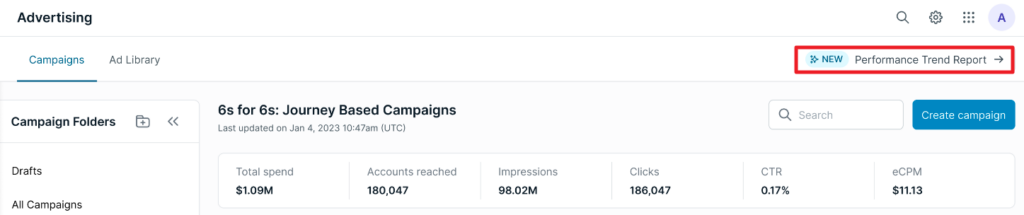
To access the report:
Go to ABM > Reports.
Select Performance Trend.
Alternatively, select the report from the Advertising > Campaigns tab.
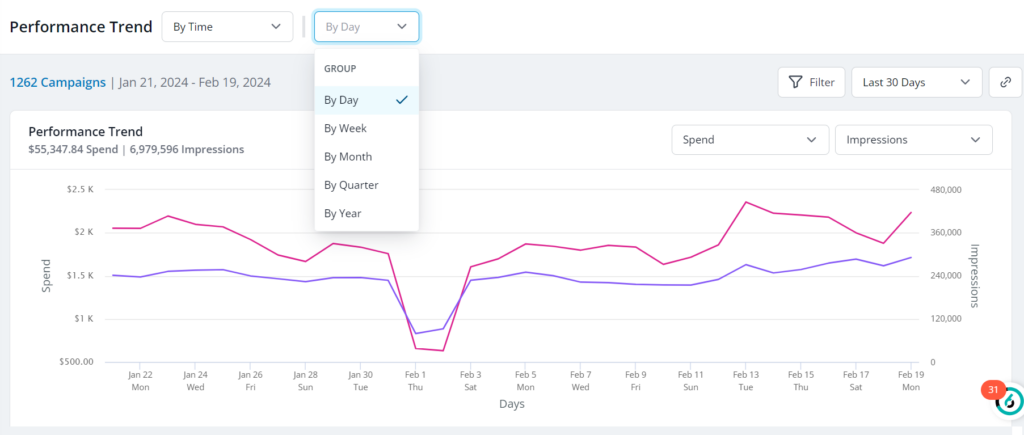
Use the GROUP menu to group data by day, week, month, quarter, or year.
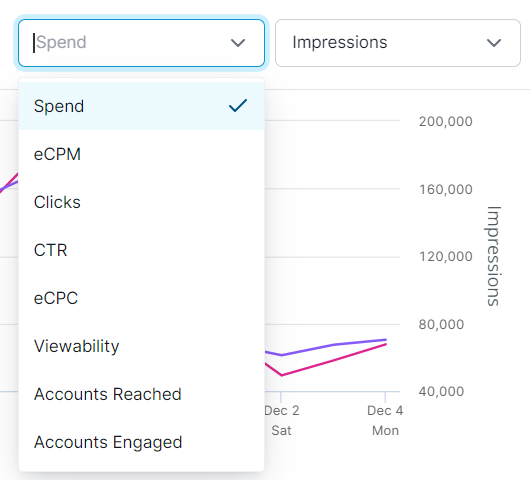
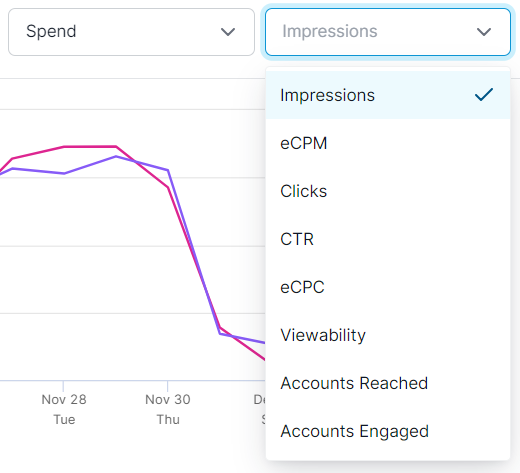
Visualize the relationship between two metrics on the chart by selecting from the drop downs at the top.
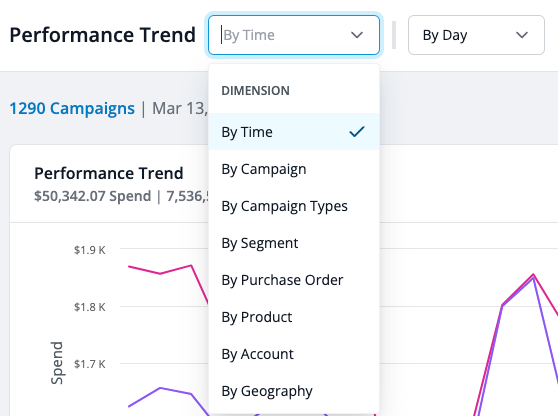
Adjust the dimension of data you want to examine by clicking on the dropdown By Time and selecting from the available dimensions.
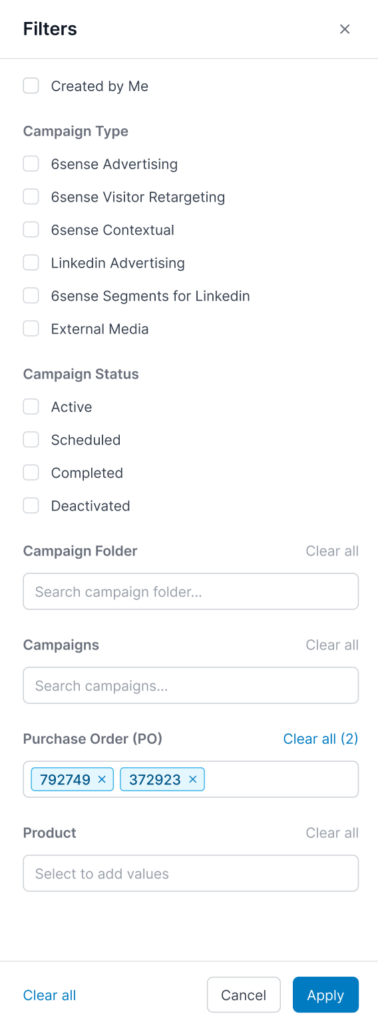
Slice campaign performance to reveal insights with easy-to-use filters. Search for specific campaign folders and campaigns in the fields at the bottom.
Modify columns to prioritize your most important metrics.
Visualize the relation between two metrics on the Performance Trend Chart. Spend, Impressions, eCPM, Clicks, eCPC, and Accounts reached are all available for plotting.
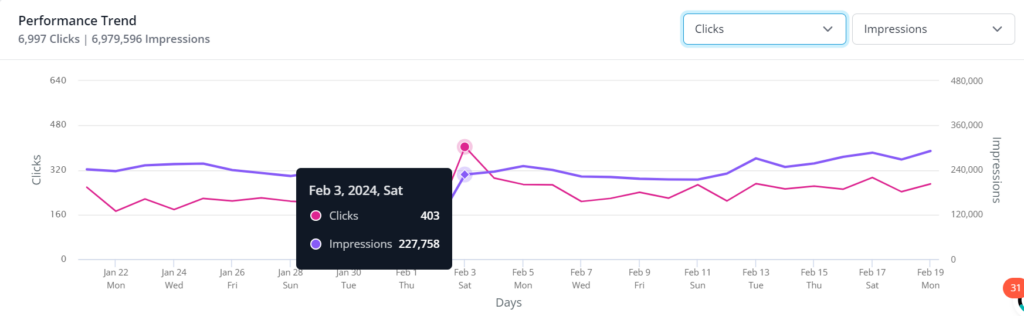
Advertising pipeline metrics
The Performance Trend Report includes advertising‑influenced pipeline metrics to help you understand revenue impact alongside campaign performance.
The following pipeline metrics are available across all supported dimensions such as campaign, segment, time, geography, and so on.
Pipeline: Total value of opportunities associated with accounts reached by advertising campaigns.
New Pipeline: Value of opportunities opened within 30 days of an account being served an ad.
Closed‑Won Pipeline: Value of opportunities that closed as won.
These metrics appear as columns in the Performance Details table, alongside existing advertising performance metrics. Pipeline totals are calculated across selected dimensions to support accurate cross‑campaign analysis.
Tip: RevvyAI can answer your questions about pipeline metrics. In addition, RevvyAI has predefined prompts to answer your questions about pipeline metrics, including:
What pipelines have my 6sense campaigns influenced this quarter?
Which campaigns drove the most new pipeline this month?
How much closed-won pipeline is attributed to my ad campaigns year to date?
Show me how campaign-influenced new pipeline has trended week over week this quarter.
Break down the pipeline influenced by my campaigns by segment.
Show me the opportunities behind my campaign-influenced pipeline this quarter.
Which accounts have the most pipeline influenced by my 6sense campaigns?
Compare pipeline influenced to budget spent across my top campaigns this month.
FAQ: Advertising Performance Trend Report
What are the earliest dates that can be queried?
Lifetime statistics are available for all customers.
What campaign types are shown in the report?
6sense Advertising, 6sense Contextual, 6sense Retargeting, LinkedIn Advertising, LinkedIn segment Syncs, and EMCs are included in PTR.
Availability of LinkedIn reporting is subject to LinkedIn minimums.
What are the different time units available to group performance by?
The report can be grouped by the following time units: day, week, month, and quarter (calendar).
How is the “last x days” calculated?
6sense counts backwards from the last completed day. For example, if you run a query for the last 7 days on Oct 27th 8am UTC, it would pull stats for Oct 20 through Oct 26th. There is lifetime data for the lookback feature.
What are Newly Qualified Accounts (6QA)?
In 6sense Advertising, Newly Qualified Accounts (6QA) are accounts that were reached by the selected advertising campaigns and achieved 6QA status within 30 days of an ad impression.
Is performance from external media campaigns included?
Yes. Performance from EMCs is included.
Is performance from LinkedIn Advertising campaigns included?
Yes. Performance from LinkedIn Advertising campaign is included.
Is performance from 6sense Segments for LinkedIn included?
Yes. Performance from 6sense Segments for LinkedIn is included.
What are best ways to use this report?
We recommend using this report to analyze popular time intervals that you can re-use and update for weekly, monthly, and quarterly reporting.
What day of the week does a “week” begin?
In 6sense reporting, weeks begin Monday, 00:00 UTC.
What months do “quarters” represent?
The report follows the calendar quarter schedule:
Q1 – January through March
Q2 – April through June
Q3 – July through September
Q4 – October through December
How are Country and Region defined?
Country and Region level data uses the 6sense account country and region. It is not where the impression itself was served.