By far, the most valuable filter in Sales Intelligence (SI) is one that is almost impossible for us to train your sellers on because it depends on what you're storing in your CRM. It is essential that you help your sellers understand how they can use it to get the most out of SI.
The filter is the "CRM account fields" filter, which allows a seller to filter their Dashboard by any field in your CRM. We use Salesforce, but this filter also works with any other integrated CRM.
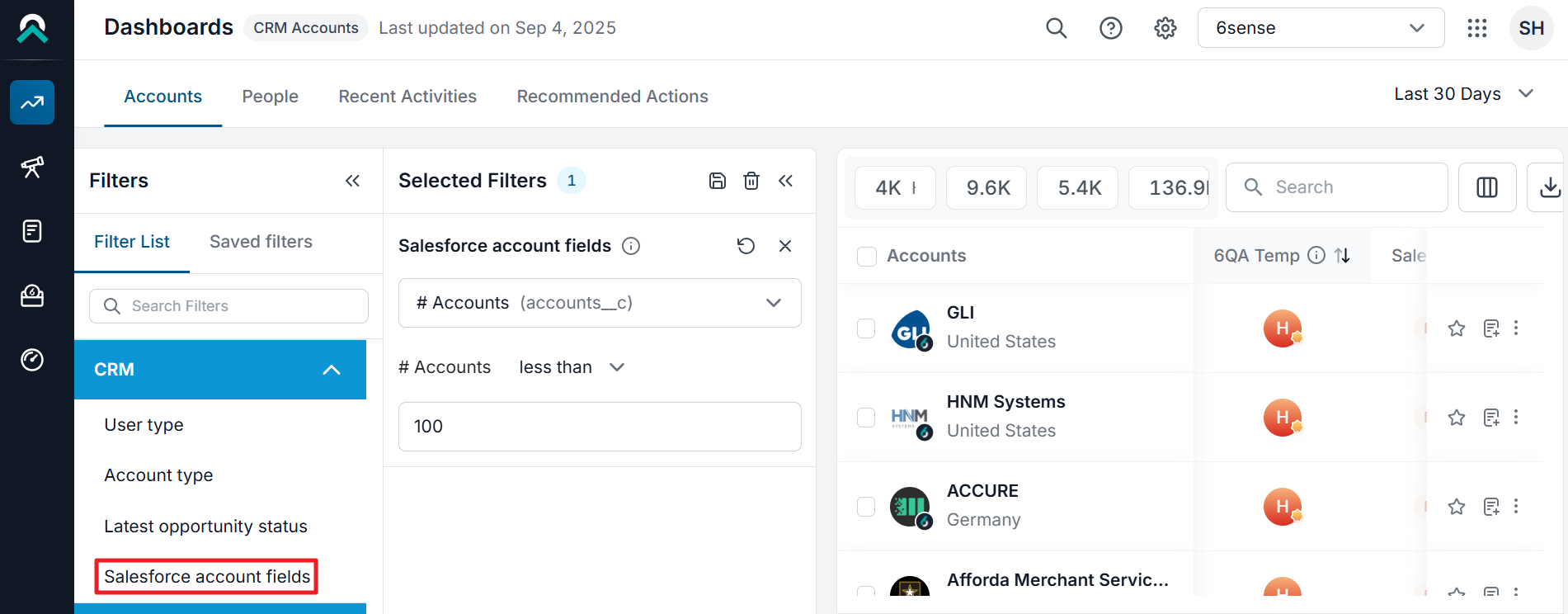
What are the CRM fields that are valuable to a seller to filter? Again, depends on what you store in your CRM, but here are some of the more common fields I've seen used:
Customer?
Virtually every company uses some kind of field to mark whether an account is a current customer or not. Some will use a Yes/No field (they are a customer or they are not), while some will have a field that lists the products that are owned by an account (an empty field means they are not a customer, while a customer might have a list of values for Product A, Product B, etc.).
Why is this a valuable field?
It lets SI users filter in or out customers. Want to prospect for new business specifically? Filter out customers from your dashboard to reduce the noise, and save the filter for future use. Want to look for cross-sell/upsell opportunities within the existing customer base specifically? Filter in only current customers.
ICP/Tier?
Many companies will mark accounts in their CRM to indicate whether they are considered an ICP account or not. Some companies will also tier accounts in CRM (Tier 1, Tier 2, etc.). If sellers have named account lists that include a lot of companies not in the ICP just to ensure coverage, using that field as a filter will help them focus on the best fit accounts.
Similarly, if an AE wants to split prospecting with their BDR where the AE takes Tier 1 accounts and the BDR takes Tier 2 accounts, using that filter is the easiest way to keep both of them out of each other's work.
Proprietary buying models?
Some companies have data science teams that have built models for propensity to buy or churn and so on. Those models are extremely complementary to 6sense's models. Companies that have built those types of models almost always try to store some output in CRM. Sellers can layer those internal proprietary models on top of 6sense's models.
As an example, we have an energy company that has built a model around energy production to score accounts based on how much they're producing. The theory is that only those companies that are currently producing a lot of energy would be likely to buy from them.
One or more of the filters above can be used just about everywhere. Your field names and values likely differ from those we use at 6sense, so it's up to you to think about what you've got in your CRM that will be helpful for sellers to know. The ideas above are just a starting point; there may be other fields you have that would be valuable.
One of the best ways to figure out what else is valuable is to pull a top seller aside, have them bring up their dashboard, and ask them to share whatever looks like noise. Then, try to figure out which filters can help reduce the noise. Sometimes, it will be a 6sense filter, but more often, it will be something that already lives in your CRM and you just need to open their eyes about using it.