Some Audience Workflows (AWF) action nodes that we often call “push-action nodes” have an option in their setup panel called If accounts no longer meet the entry condition. You can set this option to either remove the audience from or leave the audience in the flow. By default it is set to Remove audience….
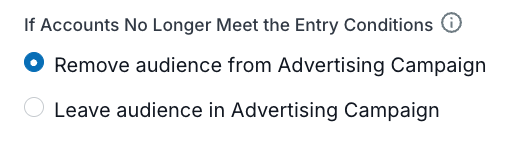
Nodes that have this option include:
Push to 6sense Advertising Campaign
Push to Meta Ads
Push to Google Ads
Push to LinkedIn
Push to AI Email Campaign
Push to Marketo Static List
Push to Salesforce Campaign
Push to Salesloft Cadence
Push to HubSpot
Push to Gong Flow
The Remove audience… setting is similar to using a Remove Audience node, which is explicitly placed in the workflow.
Entry conditions for the node
For the If accounts no longer meet the entry condition property, “entry conditions” means conditions evaluated before the push-action node, such as previous decision or timer node filters in the workflow.
Conditions configured inside the push-action node itself are not considered part of entry conditions for the Remove audience… setting.
Workflow behavior using the Remove audience… setting
The Remove audience… setting tells a workflow to automatically remove audiences from a channel or campaign if they no longer meet the entry conditions defined earlier in the workflow. It keeps external audiences aligned to workflow logic without requiring a dedicated Remove node.
It instructs the workflow to remove accounts or contacts previously pushed to a channel when those accounts or contacts no longer meet the qualifying logic upstream in the workflow.
Example of using the Remove audience… setting
If an account qualified on Monday and was added to a Marketo static list, but by Wednesday the account no longer meets the decision criteria, the Remove audience… setting ensures the corresponding contacts are automatically removed from that list.
Workflow behavior when using the Remove audience… setting and a timer node
Timer nodes evaluate audience conditions on a schedule (daily, weekly, etc.) and pause the workflow accordingly.
The Remove audience… setting logic considers the full history of timer node outputs, not just the current day’s incremental output.
On subsequent timer executions, an account or contact that qualified in a previous timer node run is treated as still current unless it explicitly fails the entry conditions (even though it is not re-output by the timer).
The Remove audience… setting only removes accounts or contacts if they truly fail the upstream decision logic, not simply because they didn’t reappear in a subsequent timer run.
Previously qualified accounts remain eligible and are not unintentionally removed in downstream action nodes.
Example of The Remove audience… setting after a timer node
Assume the timer execution starts on Nov 24, 2025:
Day 1 – Nov 24:
Timer node receives 100 accounts
50 accounts qualify and are output
Push node pushes their contacts to the Marketo static list
Removal does not happen because this is the first execution
Day 2 – Nov 25
Timer node evaluates the remaining 50 accounts
10 new accounts qualify and are output
Push node pushes contacts for these 10 accounts
Push node evaluates all accounts that have ever qualified (50 from Day 1 + 10 from Day 2)
Accounts remain on the list unless they fail the upstream conditions
No incorrect removals occur simply because the Day 1 accounts were not re-evaluated today
Document changelog
Aug 12 2026: New page