RevvyAI is an artificial intelligence interface to your 6sense Revenue Marketing platform. It guides you through use cases and in some cases performs actions on your behalf. It understands the context and data associated with your account.
RevvyAI has predefined prompts to guide you toward the supported use cases, which include:
Report-based insights
Advertising performance: For example, “summarize ad campaign performance trends”.
(New Sep 2026) Drill down into campaign performance metrics: For example, “Drill down to see the CRM opportunities or deals behind the new pipeline each week”.
6QA trends: For example, “show my 6QA breakdown by status”.
Account insights: Analyze activity data and get answers to what you want to know about a specific account.
Accounts filtering: Filter accounts using natural language.
Website visits: Review web traffic analytics showing which accounts had users who visited your site, what pages were viewed, and how they engaged with your site.
Keyword management actions: For example, “recommend more branded keywords”.
Changes made through RevvyAI keyword management actions take effect immediately in your 6sense environment.
Support: Get “How to?” answers about 6sense, sourced from our Knowledge Base.
Market Research: Industry trends, News, Competitor analysis and Marketing best practices.
For a list of predefined prompts to give you ideas, refer to RevvyAI Predefined Prompts Library.
If you ask a question outside the current scope of RevvyAI, it will:
Decline to answer the question.
Explain what it can currently help you with.
Access RevvyAI in Revenue Marketing
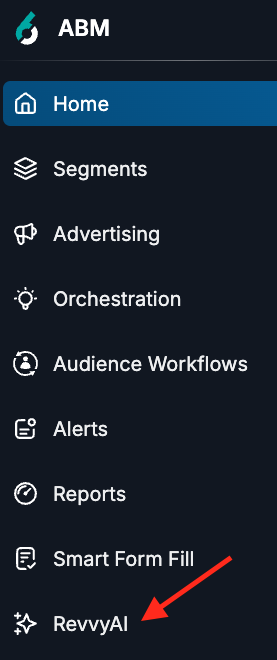
To access RevvyAI, go to ABM > RevvyAI.
The RevvyAI for RevM page opens to show commonly asked questions and prompts.
Use prompts in RevvyAI
Select a predefined prompt, or type your own in the entry field at the bottom.
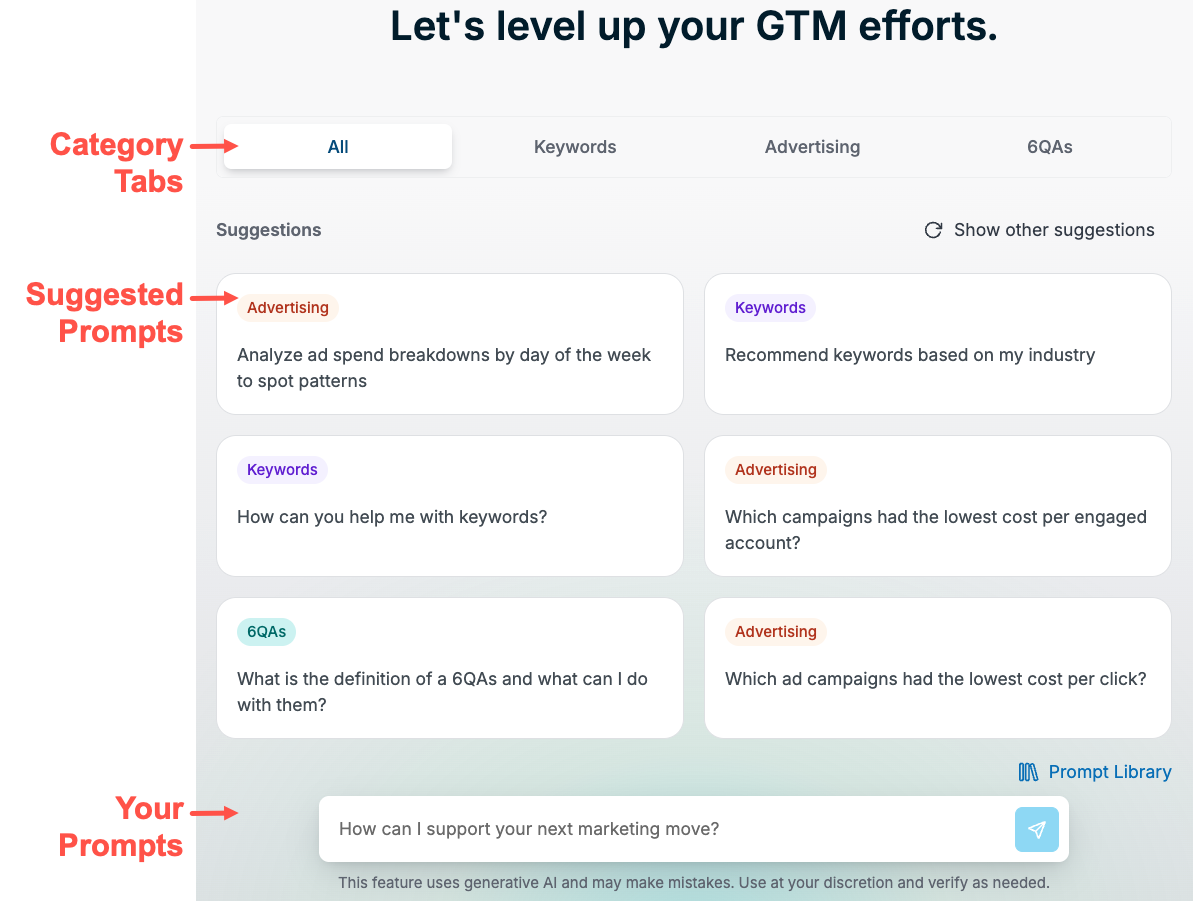
The page has a left panel where you can start a new chat or browse the entire prompt library.
The left panel also lists prompts that you have previously used. Use a listed prompt’s menu to rename or delete it.
Predefined prompts that drill down into Advertising pipeline performance metrics
(New Sep 2026) RevvyAI provides predefined prompts for Advertising performance metrics, based off of the Performance Trend report. They are listed in the Advertising section of the prompt library.
For example, you can select “Which campaigns drove the most new pipeline this month?” and RevvyAI returns a list of campaigns plus follow-up suggestions, such as “Break down new pipeline by week or day for these campaigns.” You can continue with the suggestion “Drill down to see the CRM opportunities or deals behind the new pipeline each week" to view more details.

Source material for RevvyAI answers
Currently, most RevvyAI responses are limited to metrics and insights derived from the following reports:
Advertising: Influenced Form Fills, Performance Trend
6QA: 6QA Analytics, 6QA Trends
Keywords: Keyword Activity, Keyword Performance
Website visits: Website Visits Report
In addition, RevvyAI leverages our 6sense Knowledge Base to answer your “how-to” questions.
FAQ: RevvyAI in Revenue Marketing
How does RevvyAI handle sensitive information?
RevvyAI respects role-based access controls (RBAC) at the individual user level. Users can only access data they are already authorized to see based on their existing role (Marketing user, Sales user etc).
What models are used to power RevvyAI?
RevvyAI uses a combination of:
Large language models (LLMs) from OpenAI and Anthropic
6sense data
Previously synced CRM and MAP data (if available)
Does RevvyAI integrate directly with my CRM or MAP?
No. However, it can retrieve CRM and MAP data that has already been synced into 6sense. For example, for a Predictive customer, RevvyAI can answer “how many unworked 6QAs are present in CRM”.
Document changelog
May 12 2026: First published
Sep 1 2026: Added ability to drill down into performance trend metrics